A lot of new traders ask me how to paper trade on TradingView.
And new traders, specially who had been trading meme coins and now transitioning into perpetual futures. They face a lot of issues regarding perps.
And to be successful in perpetual futures trading a trader has to have a lot more hands- on experience in this market.
But if you start with your real money in the beginning then it is guaranteed to lose them all in a couple of weeks.
Therefore for the first few months it is necessary to study and practice in paper trade. And TradingView helps a lot of new traders with paper trading.
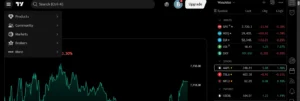
Their interface has a built -in paper trading plugin which helps traders to execute their paper trades live in the chart itself.
In this article I will help you with how to paper trade, to manage position, to open trade on TradingView in a step by step tutorial. So let’s get started
What Is Paper Trading on TradingView?
For those who don’t know about paper trading , just to give idea – paper trading is your way for practising real trading without using the real money itself. You use fake money but place the order into real time chart and by doing so, you can track your results. Journal your daily progress, finding mistakes, finding bad habits and which strategy is working for you and so on. Paper trading is an important tool by tradingview and really helpful for a new trader to become a professional in this business. Me personally practised on paper trade for 7-8 months while participating the live session with leah and eventually i became profitable and a skilled trader.
And tradingview’s paper trade works on its platform and straight from its chart window. You can use all of the chart and technical analysis tools before executing trade on there. You are in total control of your strategy and trading.
For instance if you think bitcoin’s current price is 58k and you think it is going to go up. Then you can open a paper trade position to the buy side or long side in tradingview paper trade window. Set up your profit taking one and stop loss accordingly. Here you didnt need real money to participate in the market. Additionally you have gain real hands on experience and mindset which other real traders take. In trading, your mindset and experience matters the most than profit itself. And sometimes experienced traders also open trade position on paper trade to test their new strategy and trading plan.
How to Set Up Paper Trading on TradingView
First go to top right corner of the window and you will see the button called [Trade] . It will look something similar to the image below. Click on there and the new window will open.
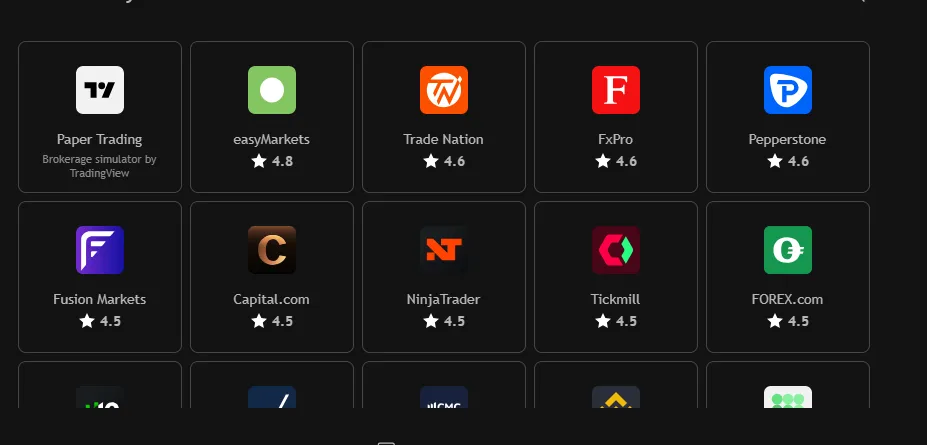
Then click there and you will see brokers , exchanges and other options will open. You don’t need to panic here. Just click the first button where it says paper trading. [ Shown in the image]
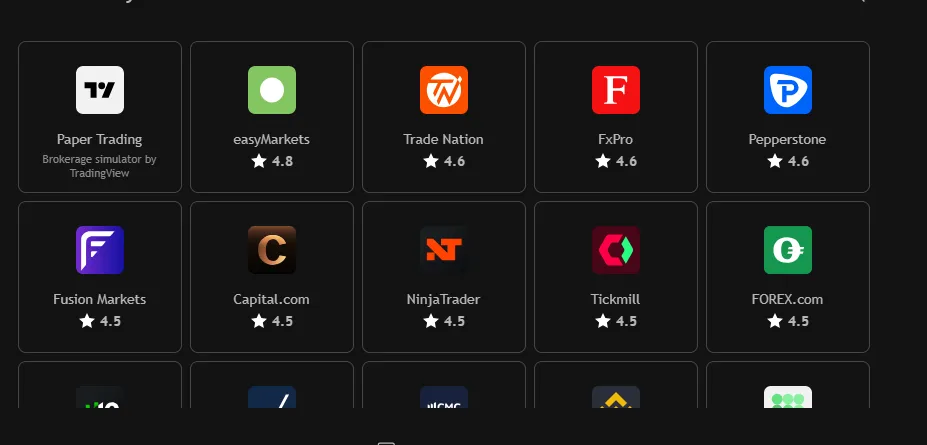
We are going to click on the first box in the top left corner which says paper trading written. Once you click it it will ask you to connect. After you connect then you have been given 100k usd amount of credit which can be reduced or increased. These are fake money which we will use to open trade positions in the paper trade.
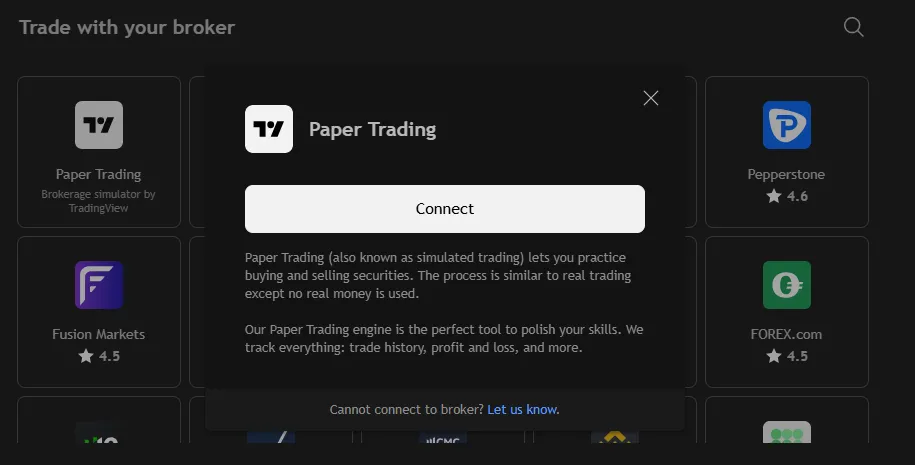
And then there you go. The paper trading option is open for you. You can choose your quantity and limit or market entry to the price. Buy means you go long, and sell button indicates short position in the market.
Opening your first trade on TradingView
Lets open your first paper trade on tradingview. Now pay attention to this window over that image on the top. You choose % of balance instead of money itself in the drop down. I have attached the image below –
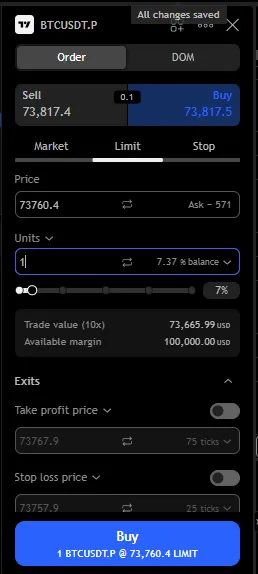
See in the drop down I have selected % balance instead of other options. It’s because you are always advised to use 1-3% of your portfolio in each trade. Thai practise valid for both paper and real trading and this strategy helps traders stay in the game for long long time. Without this discipline, traders blow up their account very fast.
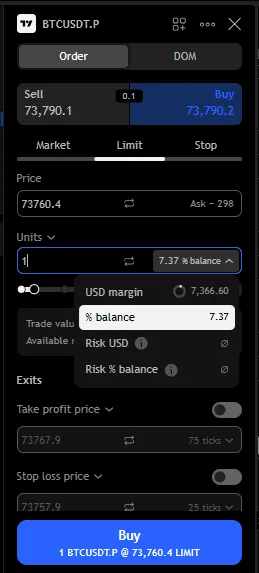
Now we are going to open a long position for bitcoin. You can open trade based on limits or markets . What these mean is, if you select limit order then your trade will not trigger as long as the price hasn’t reached your input limit. And market entry means you enter the trade right away with the current price. We are going to open market entry trade here.
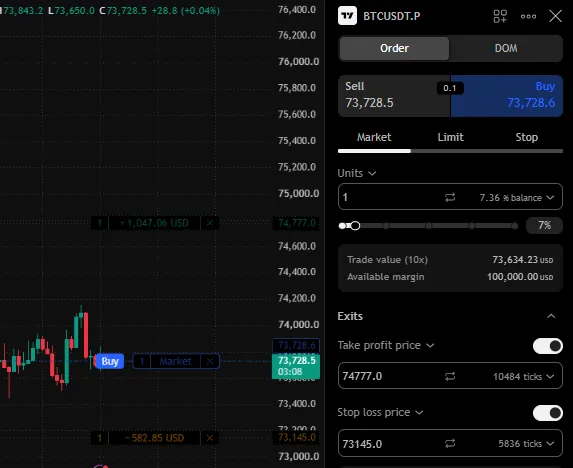
Now pay attention to above image. We have selected 1 unit into the % balance, which is 1% of our portfolio. As we are entering into market price then it is not showing the entry price . But below there we can see yu have your take profit options and stop loss option.
We entered our desired take profit and stop loss levels. As you can see on the left side on the chart , the probable TP and SL along with the money is printed before even clicking the button.
Now lets click the “Buy”
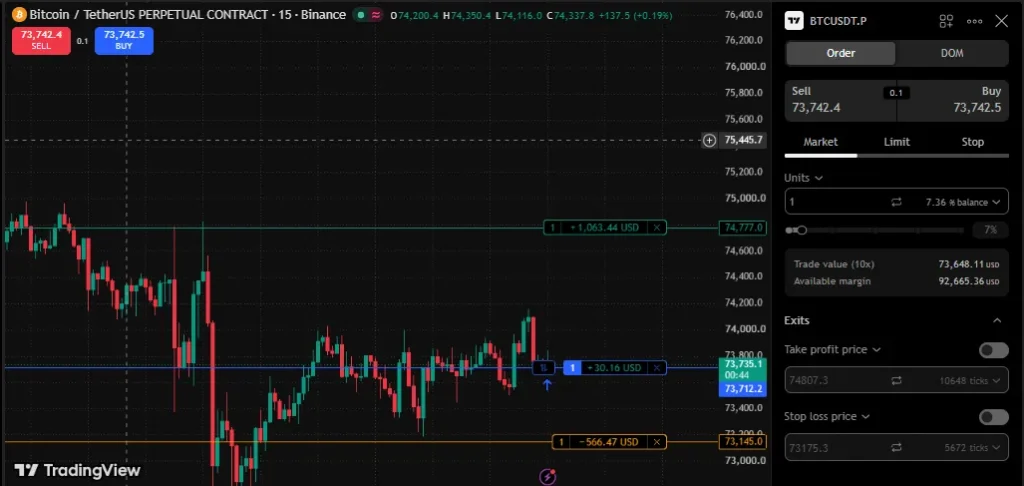
As you can see our trade has been executed instantly and by the movement of the chart we are already up with $30 profit.
Congratulations you have opened your first paper trade on tradingview.
Now on the bottom of the screen you can see your position and pnl.
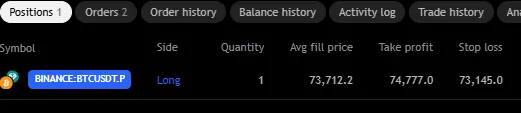
And once the tp or sl price hit the trade will close automatically. You can also close your position at anytime by clicking the close button or cross sign in the right side of this bottom pnl card.
Common Paper Trading Mistakes to Avoid
Trading without a plan: This is the first rule, never make an entry based on fear of missing mode. Always have your plan and strategy behind your entry. Because what you execute or do in the paper trade, this habits will repeat during your real trade too.
Using unrealistic position sizes: This is the gambling mindset on trading, which traders think we can get rich in 1 trade and then they lose everything minutes later. Do not do that. Keep your position size disciplined and always 1-3% from your portfolio. Maintain that discipline. Calculate your risk to reward ratio.
Ignoring fees and execution differences: Ok, so, in paper trade you cant see the fees which the exchange will take from you. But in real trade , the exchanges take huge sums of fees from you and that can be pain if you did not calculate your fees before entry from exchange. Markets usually take a lot of fees instead of limit orders. Beginners lose their profit due to ignoring the fees and they close trade with profit but ignoring fees then find themself losing that profit as 0 as the fee has taken everything from it.
Changing strategies after every loss: New traders flip from strategy top strategy. Ended up losing more. Find your edge, see what strategy works for you and maintain discipline. If you have a good risk reward ratio then you can have a 50% win rate and still be profitable.
Assuming simulated profits mean you’re ready for live trading: If you see that you have huge sums of money in the paper trade window and immediately jump on real trading. That can be bad news. Because profit numbers and money can put the brain into hallucination. Real trading stats will count for the risk reward ratio, strategy and minimum 50% win rate. Keep eyes on the fundamentals, not the money on the papertrade window.
Final Thoughts
Learning how to paper trade on TradingView is your first step into the big ocean worth of path. And it is genuinely big steps and the first steps always harder. Once you get there, it will make you learn and understand the market price action on each session and behaviour of the candles.
Keep your focus on your plan and strategy and discipline instead of those money balance digits on paper trade window. Once you have mastered those disciplines, then you know you are ready to ride in the real market.
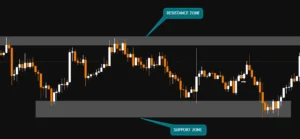
Leah also hosts live trading session in free discord. You can hop on that from every Monday to Friday 8 A.M Central. If you want to cross check and know more about support and resistance strategy, book a one-on-one session with Leah.
Frequently Asked Questions
TradingView offers its built-in Paper Trading feature without requiring a deposit or real-money funding. Some other platform features may have plan-based limits. It also has paid plan but you don’t need that for paper trade.
Yes. You can connect TradingView’s built-in Paper Trading account without connecting a separate crypto exchange account. Select a suitable crypto chart and use the simulator’s available trading controls.
No. It uses virtual funds to simulate trades. Your simulated profits and losses do not represent money gained or lost in your actual exchange account.
No simulator can guarantee profitability. Paper trading helps you practice execution and test a strategy, but consistent results require a robust process, realistic assumptions, risk management, and ongoing evaluation.